
It is possible to get unlimited Internet by using an android application known as HTTP Injector. To accomplish this you need to understand the settings of Virtual Private Network(VPN), Secure Shell(SSH) and Proxy Servers with a free site offered by your Internet Service Provider, all of these settings can be performed using a mentioned android app.
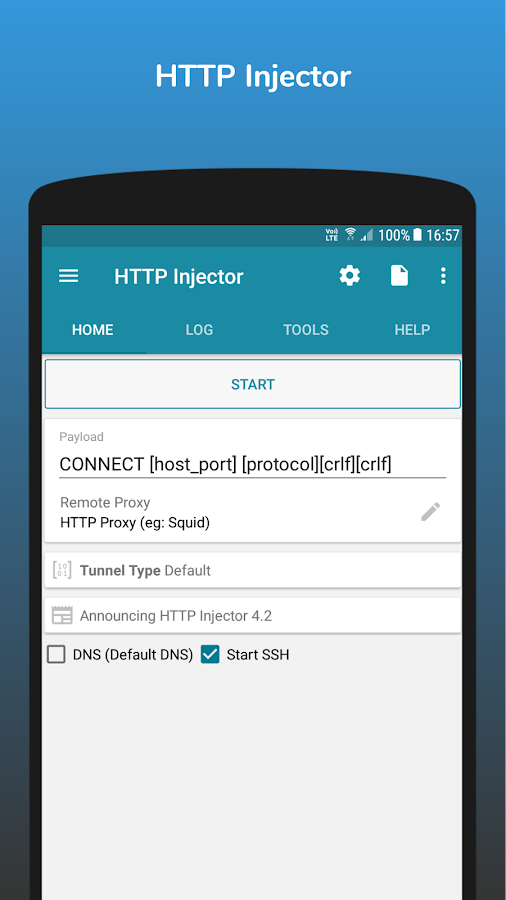
HTTP Injector
There are some few simple tricks to follow so that you can be able to access unlimited Internet on your mobile phone specifically android phone, before attempting the settings for unlimited make sure you have the following things.
-A Squid Proxy Server, this is a server which access an Internet on your behalf, all the request you made on the Internet will be trafficked on a proxy server. You can get free public proxy server from this link Free Proxy Servers. Note down IP address eg 183.52.67.11 and Port eg 8080.
-SSH server, This is a cryptographic network protocol for operating network services securely over an unsecured network. It helps to hide your internet activities in such a way your ISP will get hard to notice you. There are many websites which provide free ssh servers but the common used website is Skyssh, you should sign up to get ssh account which will involve your USERNAME, PassWord, SSH server IP address and ports.
-A free Site offered by your Internet Service Provider, Some website can be accessed free without a credit or an Internet bundle for example 0.facebook.com, freebasic.com or your ISP official website. This a real thing which provide the access to the Internet.
-A Simcard of your ISP with no credit or quota, after having fulfill all the above requirements it is a time to do the actual settings which will help to get free unlimited Internet, totally free.
first, with your phone go to the google play and search for an application known as HTTP injector or you can download via a link that has been posted on this post.
2nd step, You need to test if a free website you have can be used to get a free unlimited Internet, this is because not all free sites offered by your ISP will be used for free internet. You should use the same application http injector to test your website. To do this follow these steps.
Go to the place written as TOOLS click there and you will see various tools that have different purposes, for the sake of our goal you will select a tool known Host Checker.
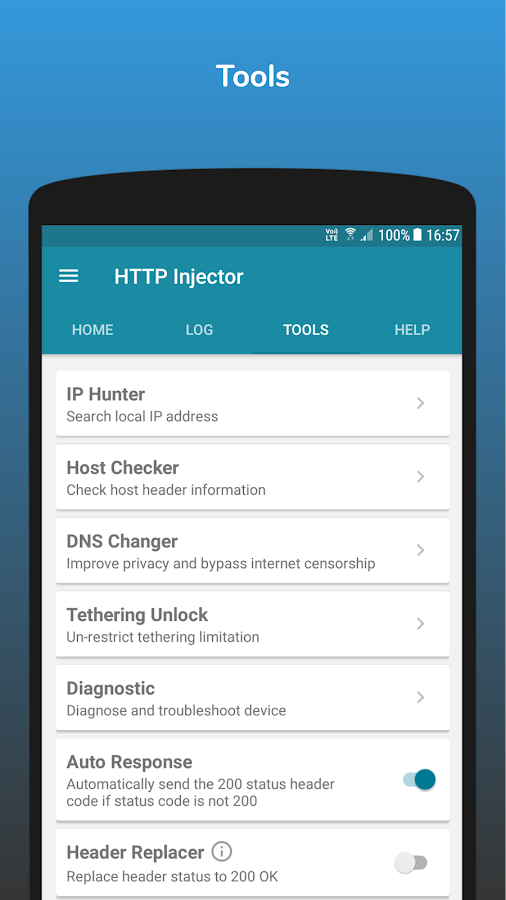
After Clicking, you will enter a free site offered by your ISP eg www.facebook.com and then select a method like GET, HEAD etc here we use HEAD method, then fill a proxy server that you obtained earlier, then click check. if you see the code written 200 OK it implies that the site can be used for unlimited internet otherwise there is very little chance to use a site for this purpose.
Having completed this, stay tune for a post Part II which will show the configurations, this will be our final step.
Thanks for the amazing post, I have a question though, what is the significance of squid server? won't work just the same if I use a non-squid proxy?
ReplyDeleteI like to use squid due to its popularity but you can try using other proxies
ReplyDeleteHow To Get Unlimited Internet On Your Android Phones And Computer With Any Simcard-Part I ~ Wikitaarifablog >>>>> Download Now
ReplyDelete>>>>> Download Full
How To Get Unlimited Internet On Your Android Phones And Computer With Any Simcard-Part I ~ Wikitaarifablog >>>>> Download LINK
>>>>> Download Now
How To Get Unlimited Internet On Your Android Phones And Computer With Any Simcard-Part I ~ Wikitaarifablog >>>>> Download Full
>>>>> Download LINK 3k